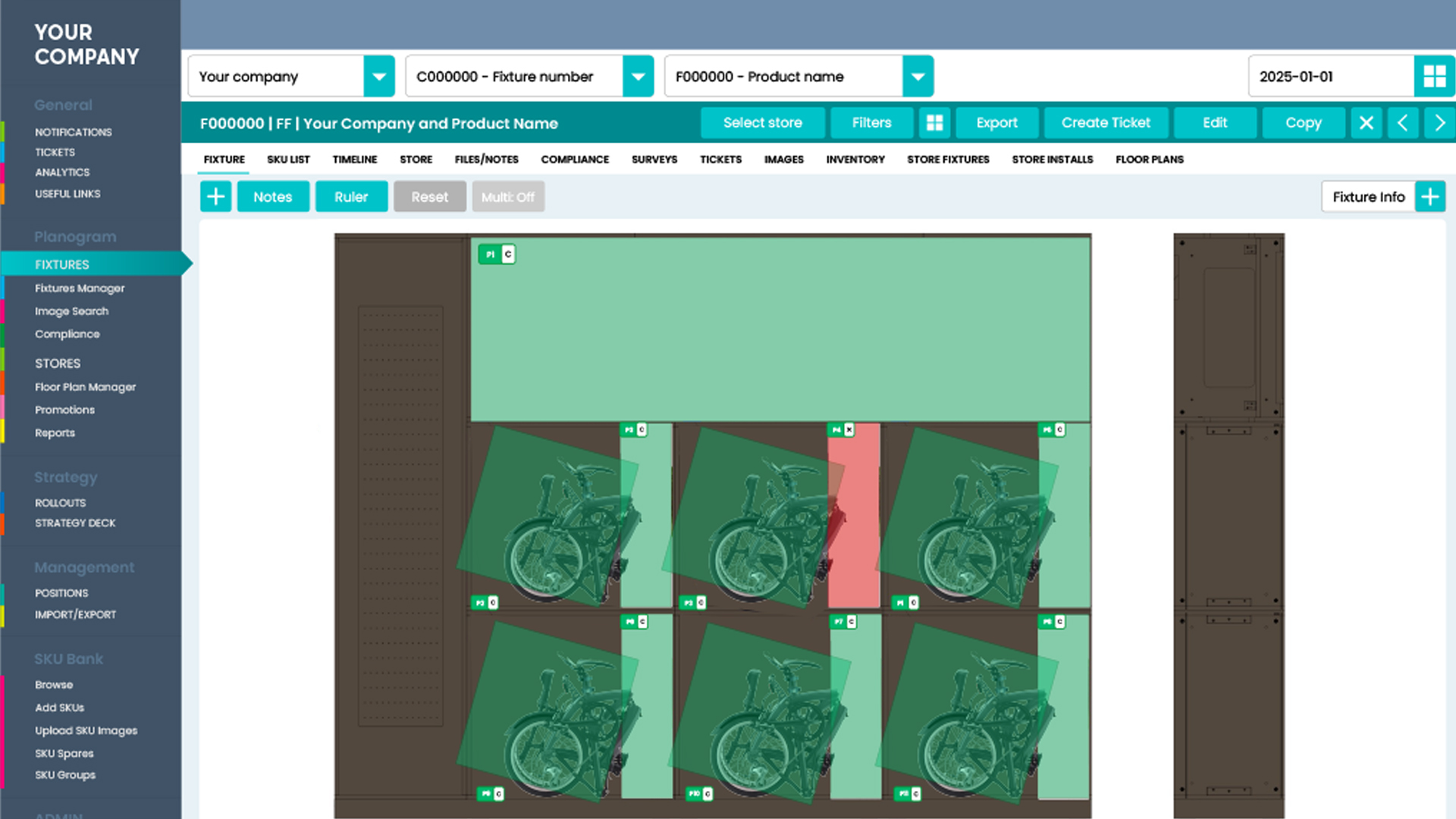
As retail marketing projects become ever more complex, maintaining control over multiple users and their activities is a key role for brands and their project managers. The Consilio planogram system not only offers advanced asset control but also gives a complete audit trail of user activity across every moment of every project, every time.
Analytics and audit visibility
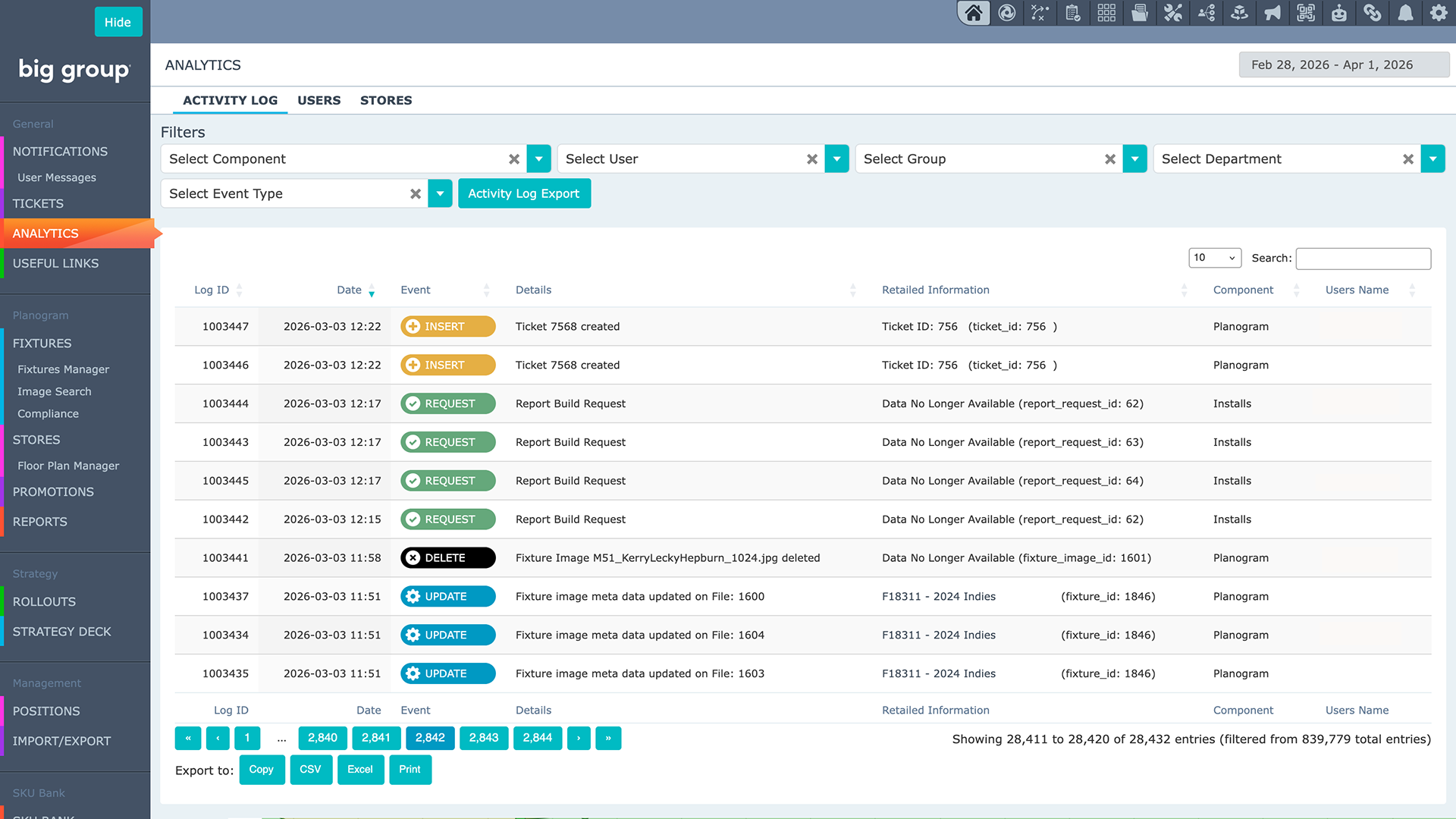
Consilio gives managers page view logging and audit trails for every action taken by users, allowing detailed control [BL2.1]of even the most broad-reaching projects.
With analytics information clearly presented for each component, the Activity Log makes complex scenarios clear to follow, easy to analyse, and simple to act on.
The Activity Log
Unique audit trails record detailed actions from logins to fixture changes, including:
- Password resets
- 2FA submissions
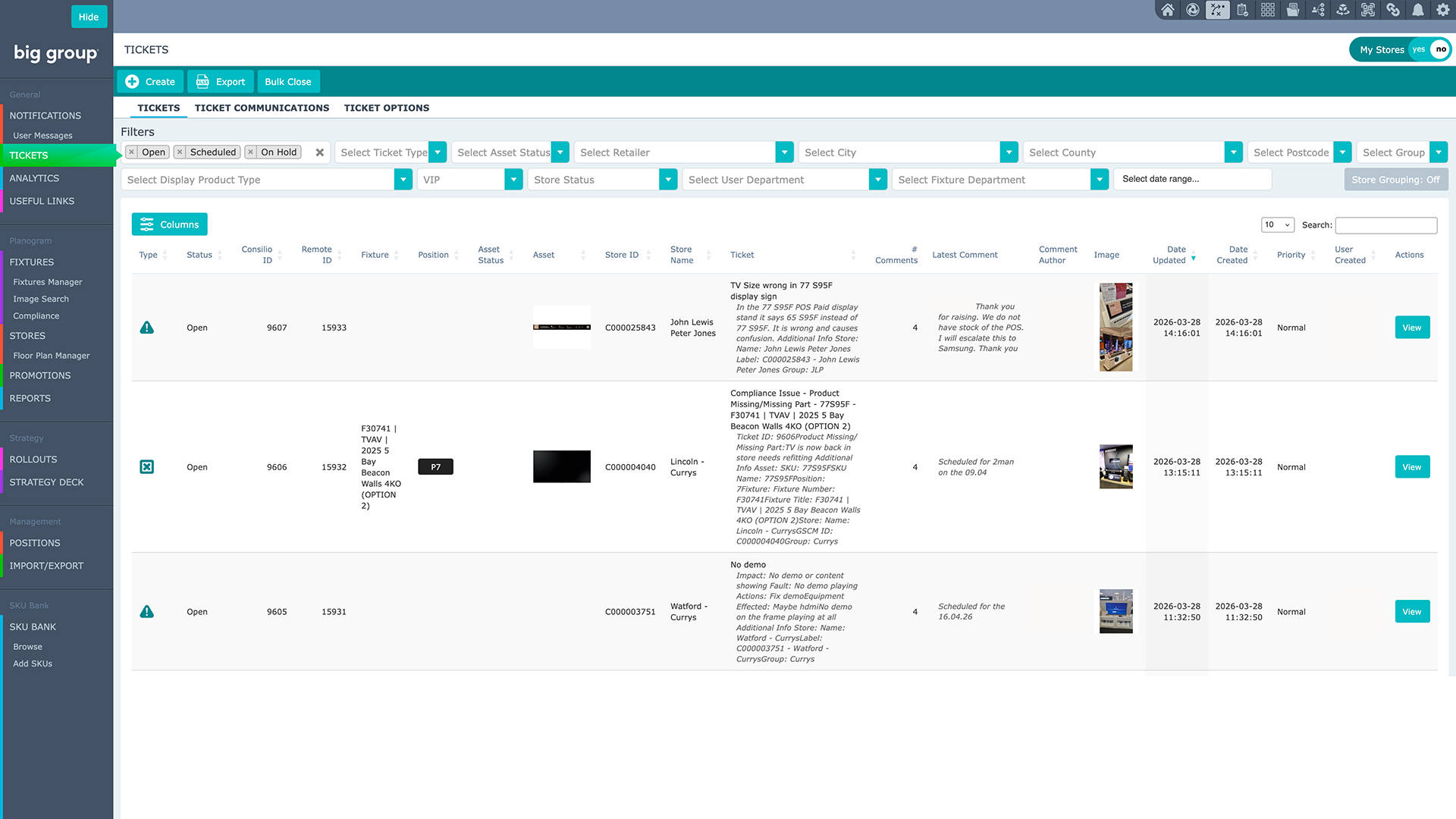
- Ticket creation
- Submitting compliance
- Changes to stores
- Changes to fixtures
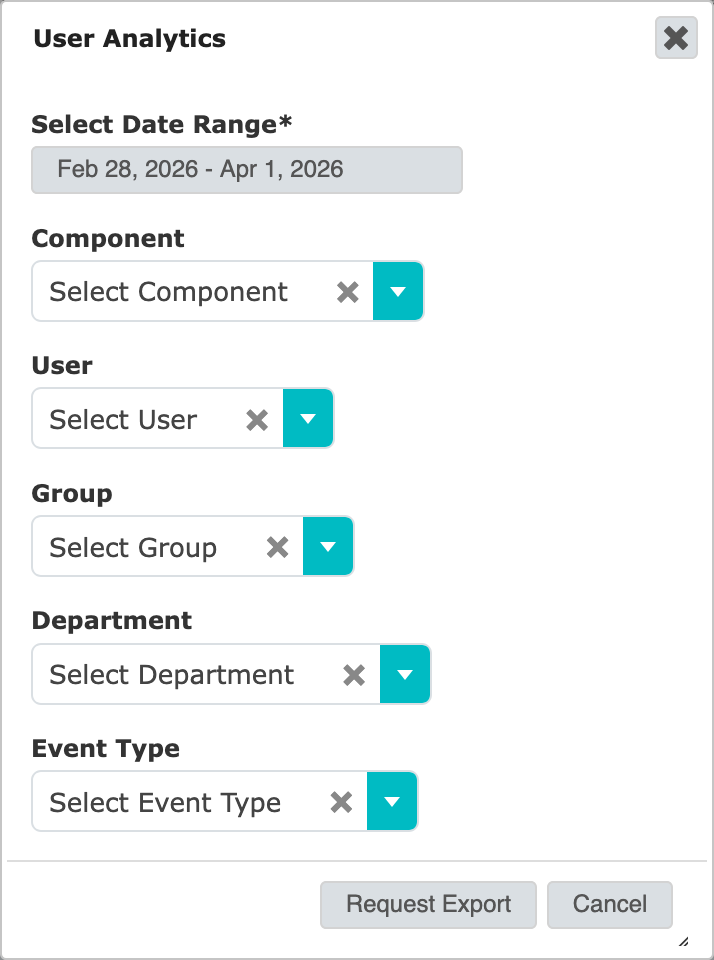
User activity is continually tracked, with multiple actions analysed across every aspect of the system:
- Components
- Users
- User Groups
- User Departments
- Event Types
- Date Ranges
For total visibility across all aspects of project management, Consilio gives users an option to export activity logs via CSV, as well as a crystal-clear dashboard interface to analyse and understand user activity.
User analytics for project control
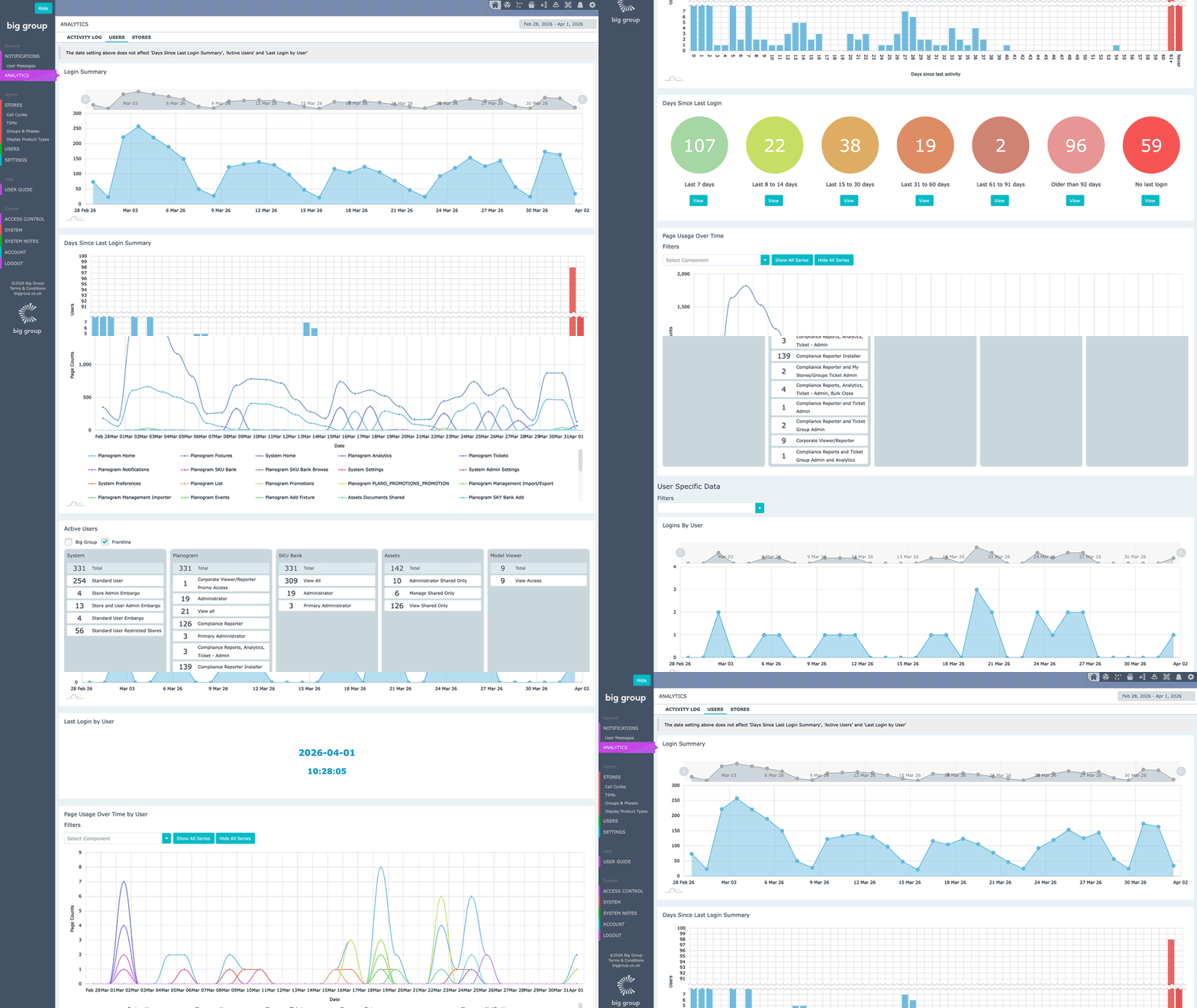
Marketers can analyse project and user data from different perspectives, with a range of charts available over editable date ranges that show logins over time, days since last login, and user logins over selected time periods.
Analysis can also be carried out on specific users and user groups, enabling performance benchmarking on projects and ensuring stale accounts are identified and deactivated. Activity can be monitored by page usage over time or filtered by component or individual pages.
All this data is clearly displayed, allowing you to keep detailed track of user activity and project costs over time, with active users displayed by permissions per component or by individual user.
Stores
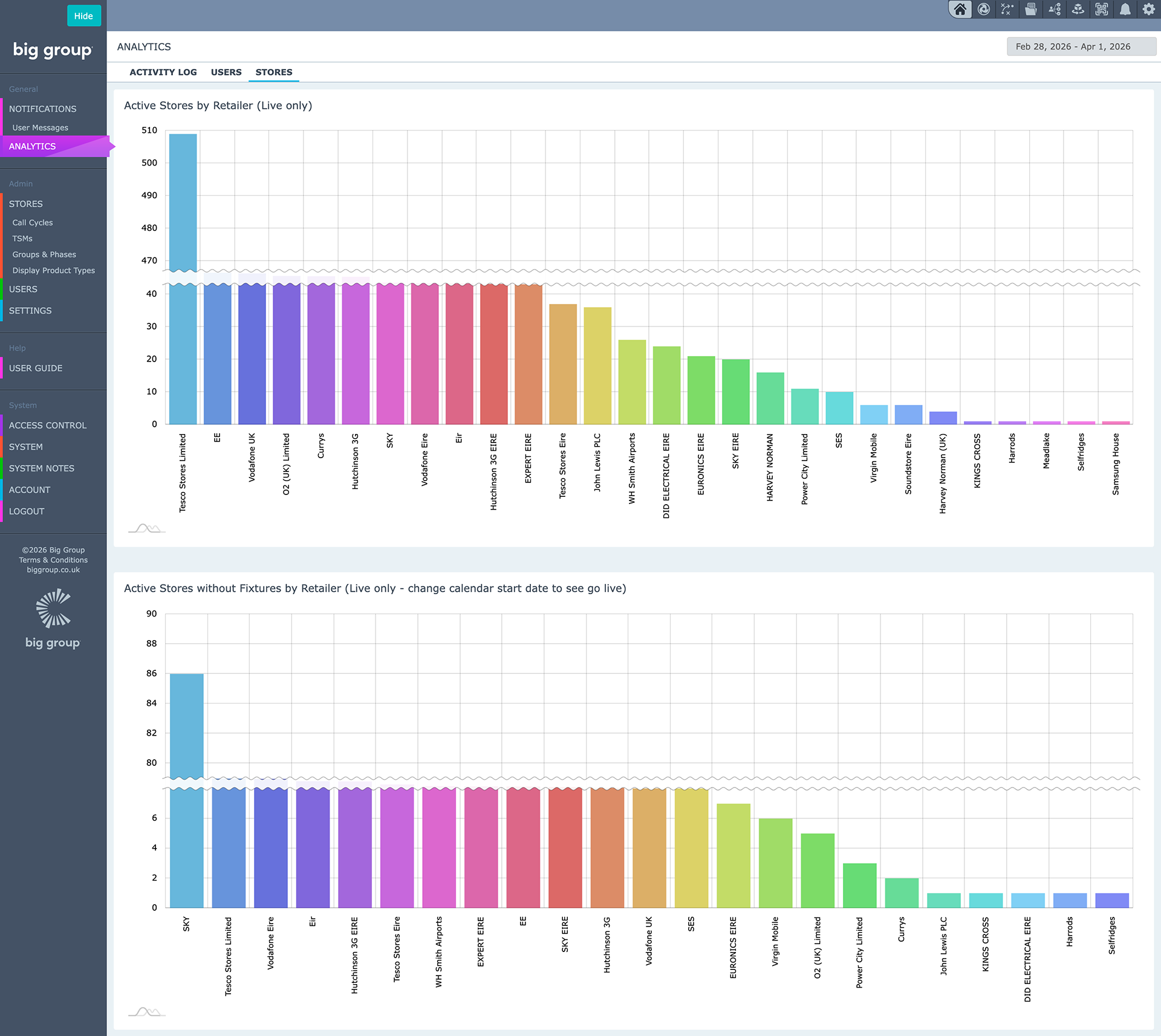
The same level of detailed analytical reporting is also available for stores and planogram components, with store level reporting and analysis to show content gaps by retailer. Dashboards give you the ability to see both active stores by retailer and channel, and active stores without fixtures by retailer and channel. This gives brand marketing managers a clear understanding of what actions need to be taken across a multi-outlet estate.
From ticketing to compliance
When marketing teams need to see the state of play in a snapshot, Consilio delivers with real-time monitoring and detailed analytics of the whole range of display metrics from tickets to fixtures and compliance.
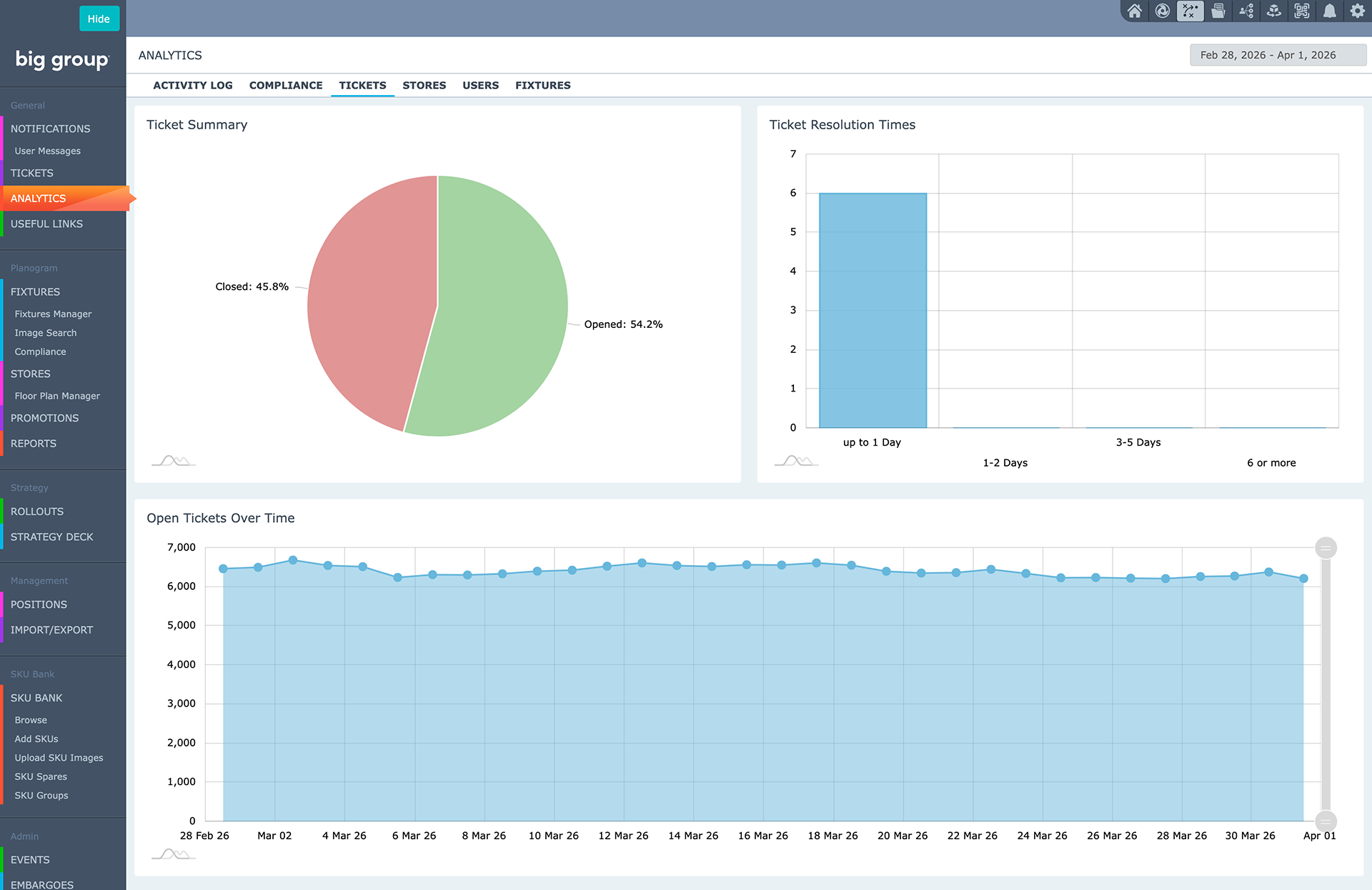
Consilio gives you a clear view of ticketing:
- Ticket summary – showing the percentage of open vs closed tickets
- Ticket resolution time
- Open tickets over time
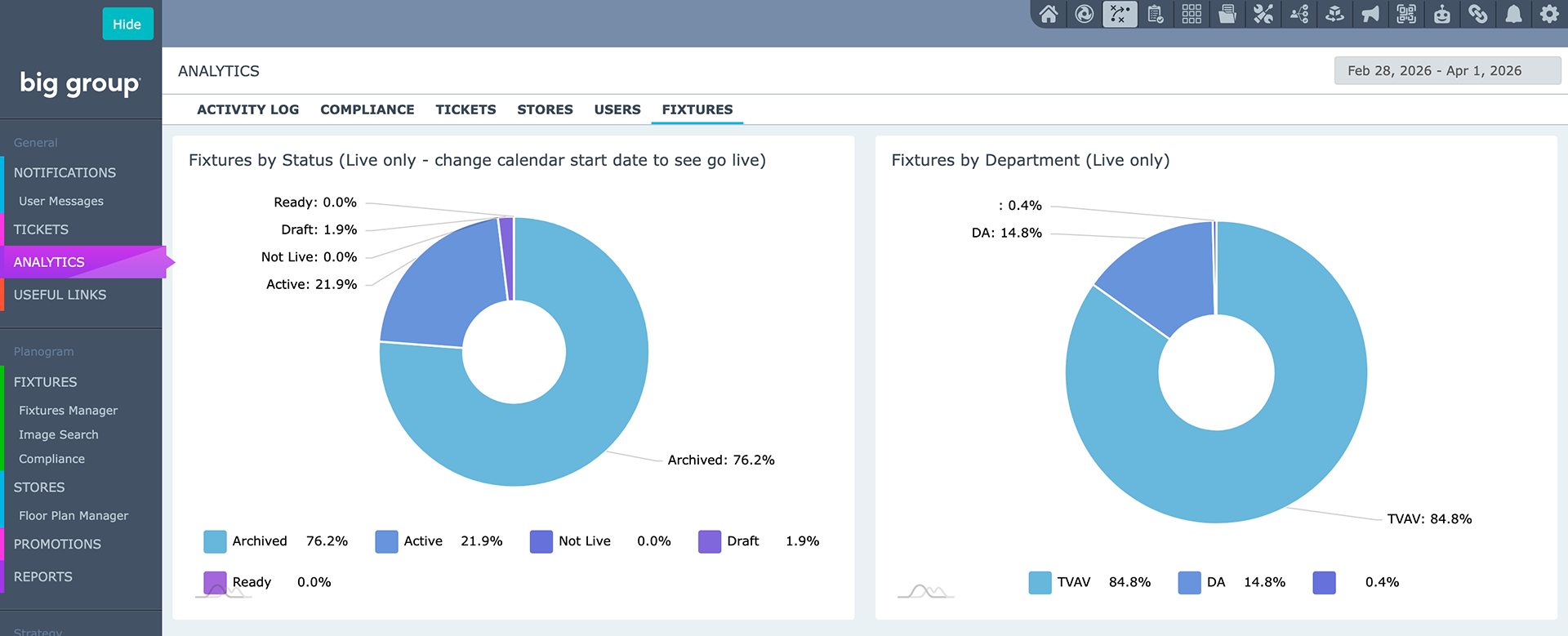
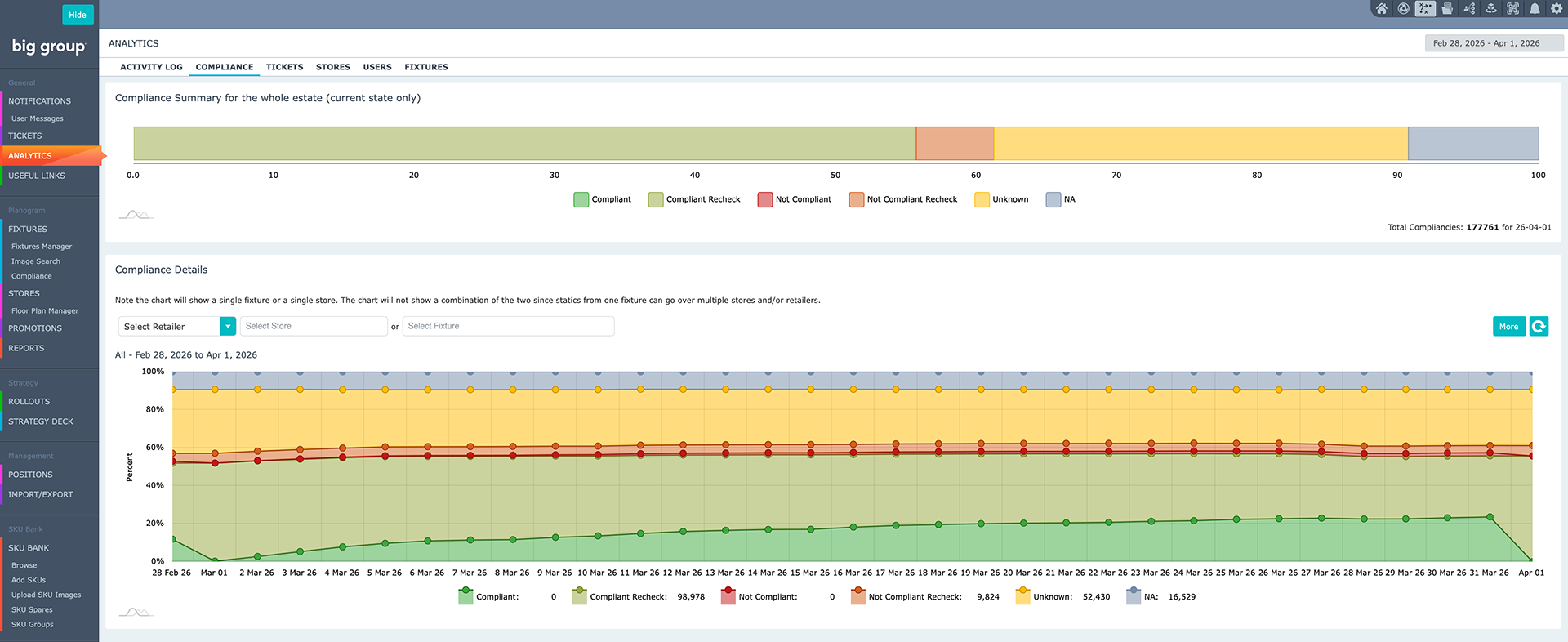
Compliance charts display:
- The compliance summary for whole estate
- Historic compliance levels over time
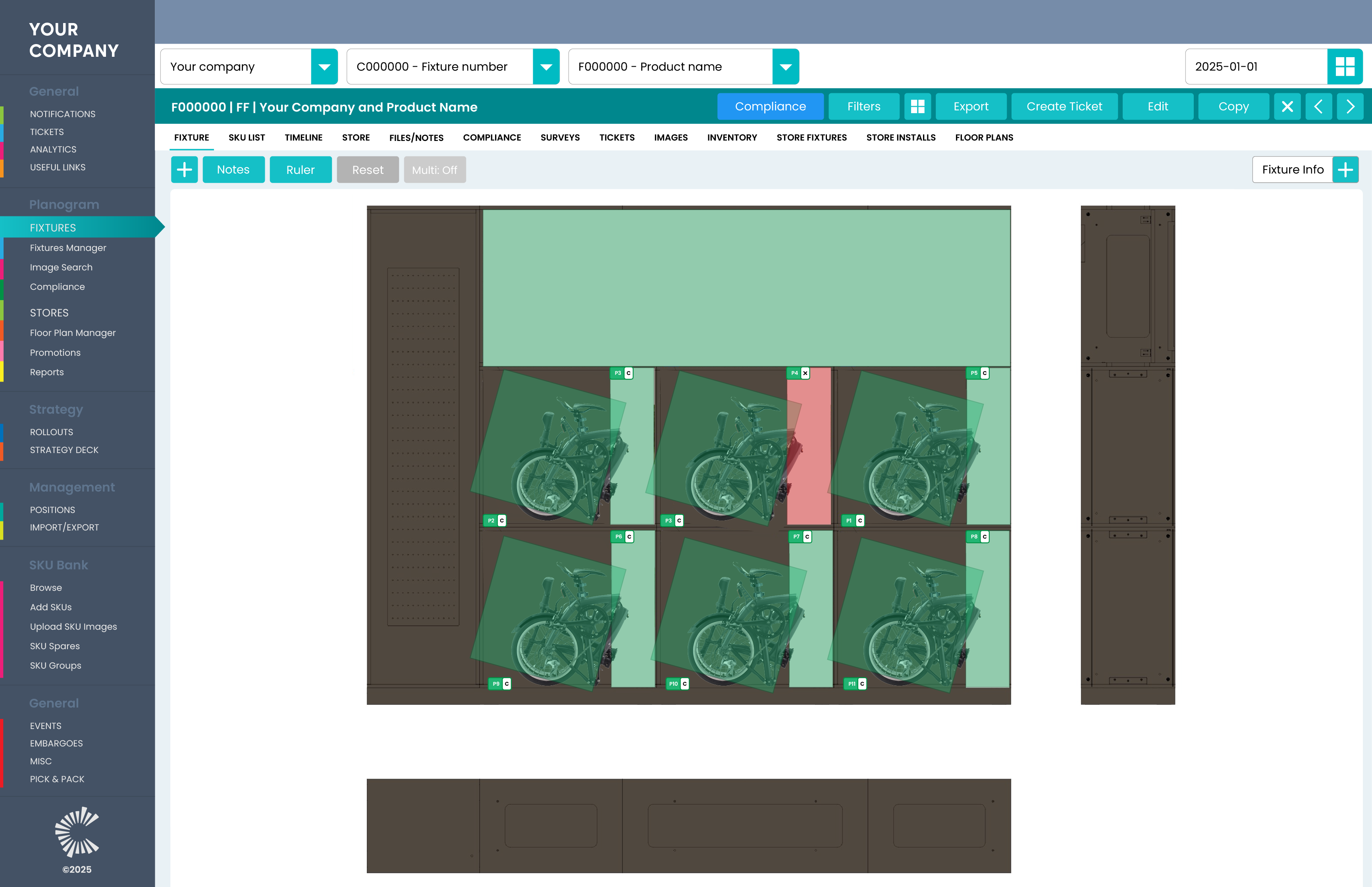
Compliance can be seen at-a-glance as a top line history. A detailed breakdown of every SKU in every fixture in every store shows their current status. This allows project leaders to make informed decisions on trajectory and investment, as well as being able to recognise where things need attention earlier in the project cycle.